
WEBMConverter.app

  • Home
  • Video Converters
  • Audio Converters
  • Subtitle Manager
  • Slideshow Maker
  • Chapter Manager
  • Thumbnail Extractor
  • Stream Extractor
  • Palette Generator
  • Code Generators
  • Advertisement Maker
  • Screenshot Extractor
  • FAQ

Screenshot Extractor

Take screenshots from a video file directly within the web browser

High Quality

When you use standard snipping tools or keyboard shortcuts to grab a frame, you are only capturing your screen's display resolution—often along with annoying playback bars and cursors. This tool extracts the frame directly from the file itself, ensuring your screenshot maintains the exact high-fidelity resolution and crispness of the original video without any messy interface elements ruining the shot.
Streamlined

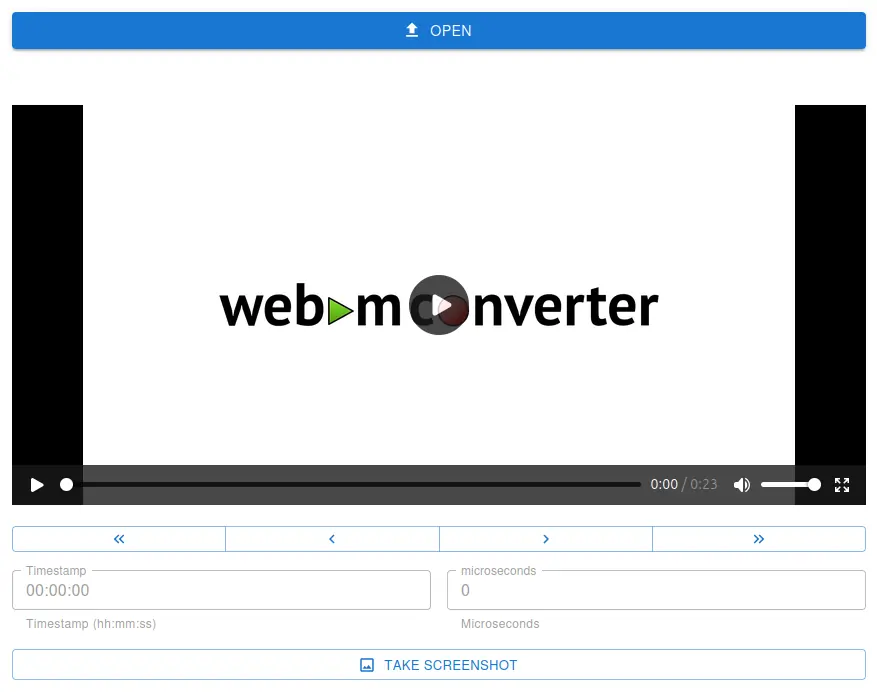
Hunting down the perfect thumbnail or reference image shouldn't feel like a tedious chore. By providing a clean, distraction-free interface built specifically for one task, the extractor lets you load a video, scrub right to the exact millisecond you want, and save the frame in seconds. It strips away the overwhelming timelines and complex export settings found in traditional editors, allowing you to get your asset and move on with your day.

No Installation

Downloading and installing bulky desktop video editing software just to grab a single still frame is an incredible waste of time and computer storage. Because this tool operates entirely within your web browser, you can pull the images you need instantly from any device—whether you are on a locked-down work laptop, a lightweight Chromebook, or your personal desktop—without cluttering your hard drive with single-use applications.

Click or Touch open to select a file from your Storage Device.
Pick your Source File Format to Convert To WEBM

Content Creators & YouTubers

Quickly grab striking frames for YouTube thumbnails or social media promotional posts without opening tools likeAdobe Premiere.

Web Developers

Extract assets from videos to use as fallback image or poster image for websites.

Meme Creators

Easily grab the exact frame needed for a reaction image from a high-quality source.

Students & Researchers

Pull clear, uncompressed charts, slides, or visual data from recorded lectures and documentaries.